Help:Gallery: Difference between revisions
Jump to navigation
Jump to search
This should be useful too. |
Hunchman801 (talk | contribs) No edit summary |
||
| (One intermediate revision by one other user not shown) | |||
| Line 1: | Line 1: | ||
For a neater arrangement of multiple images, such as screenshots of a game or artwork of a character, | For a neater arrangement of multiple images, such as screenshots of a game or artwork of a character, [[RayWiki]] supports the Gallery tag, which displays rows of four thumbnails that can be captioned if desired. | ||
==How to create a gallery== | ==How to create a gallery== | ||
| Line 10: | Line 10: | ||
</gallery></pre> | </gallery></pre> | ||
This will create a row of three thumbnails. | This will create a row of three thumbnails, like this: | ||
<gallery> | |||
Image:RaymanLimbs.jpg | |||
Image:RaymanLimbs.jpg| Rayman being drawn | |||
Image:RaymanLimbs.jpg| [[Rayman]] being drawn | |||
</gallery> | |||
[[Category:Help]] | [[Category:Help]] | ||
Revision as of 12:33, 3 February 2011
For a neater arrangement of multiple images, such as screenshots of a game or artwork of a character, RayWiki supports the Gallery tag, which displays rows of four thumbnails that can be captioned if desired.
How to create a gallery
- Select the desired images, and use the following code:
<gallery>
Image:number1.png
Image:number2.png|Caption
Image:number3.png|Caption with [[links]]
</gallery>
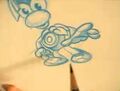
This will create a row of three thumbnails, like this:
-
-
Rayman being drawn
-
Rayman being drawn
