Rayman 2 and Rayman 3 Controller Support Fix Guide
Posted: Tue Oct 27, 2015 12:46 am
This guide is intended to fix the Rayman 2 and Rayman 3 controller support.
Rayman 2
– Download the Rayman2InputFix_v1 zip here : https://code.google.com/p/noser-sandbox/downloads/list
– Unzip it and place it in the Rayman 2 installation folder.
– The A and X buttons can't be remapped. The Y and B buttons control the camera and can't be remapped either, but I assigned them to the right analog stick nonetheless, it feels better. Just don't use the Y and B buttons.
– The rest will be in the Xpadder tutorial section below.
Rayman 3
Thanks to RibShark and his mod "Better Rayman 3", almost every issue was fixed.
Better Rayman 3 mod : viewtopic.php?t=12854
– The right analog stick still doesn’t work though.
I mapped the mouse movements to the analog stick with Xpadder to be able to move the camera. It isn't perfect, but the native camera on consoles as well as PC wasn't either. The camera motion will be a bit choppy when moving diagonally. I've found that on a 2560x1440 monitor, 3000 DPI matches the original camera speed pretty well.
– These are the Rayman 3 binding to enter in the in-game menu for the Xbox One / Xbox 360 controller :
Menu = Start
Jump = A
Roll = Left Trigger
Strafe = Right Trigger
Fire = X
Look Mode = Y
Grimace = B
Screenshot = Right D-Pad
Walk = Shift
Up = Up Keyboard Arrow
Down = Down Keyboard Arrow
Right = Right Keyboard Arrow
Left = Left Keyboard Arrow
– The rest will be in the Xpadder tutorial section below.
Xpadder Tutorial
– You will need the program Xpadder to bind some keyboard inputs to your controller.
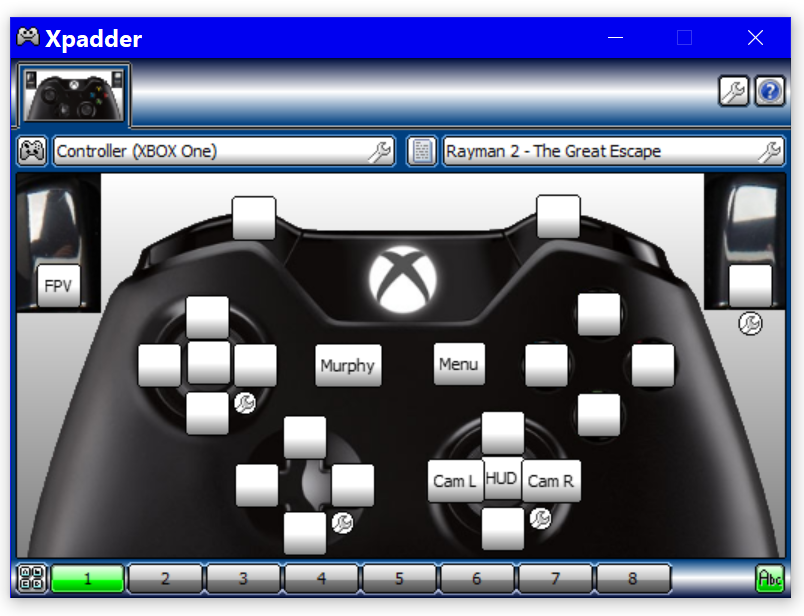
– Xpadder + Rayman 2 and Rayman 3 profiles : https://mega.nz/#!sYBQURCa!iBGQ3QgdxQvH ... Y1oExgBivI
– Place the Xpadder folder somewhere on your computer.
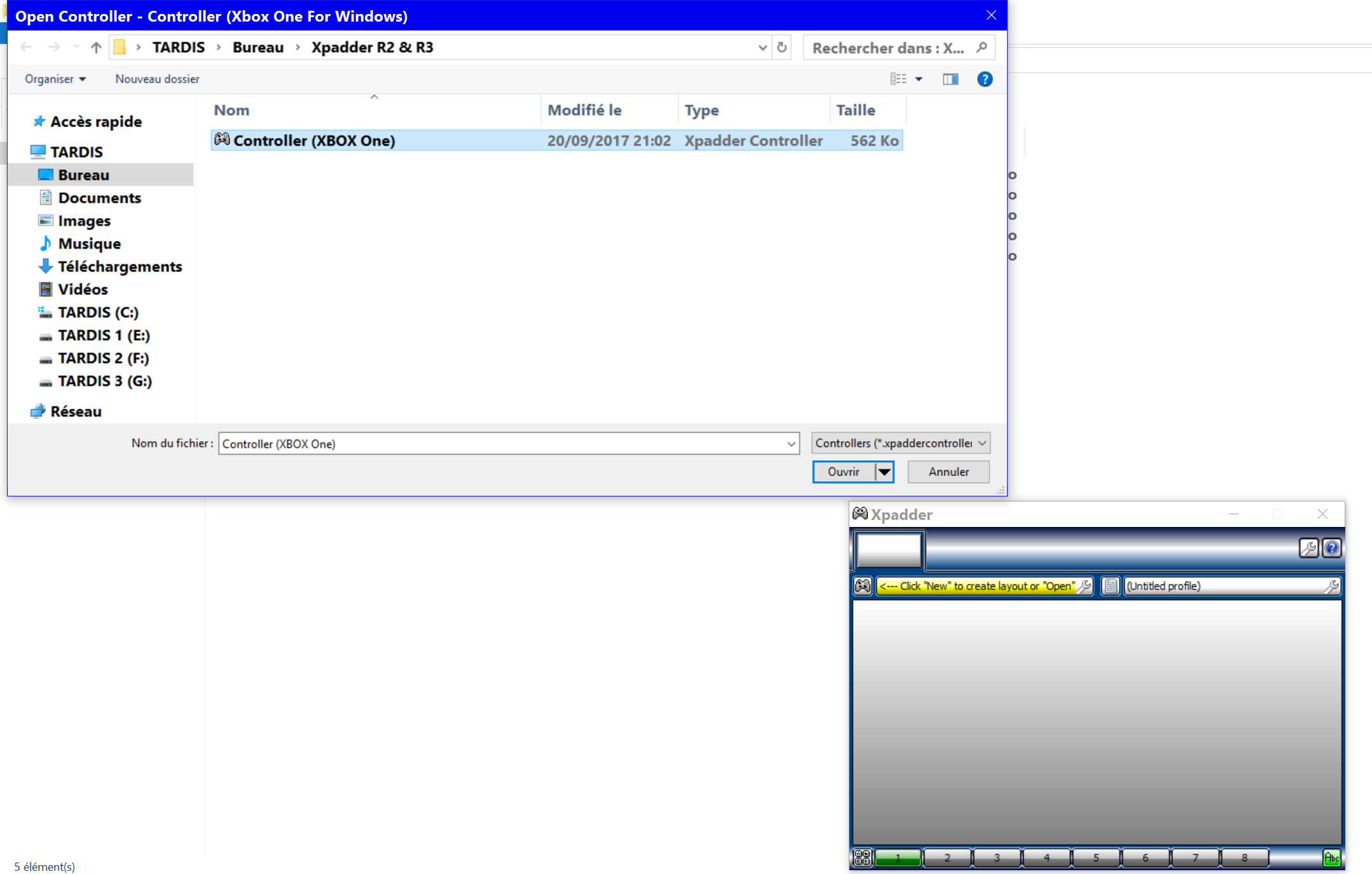
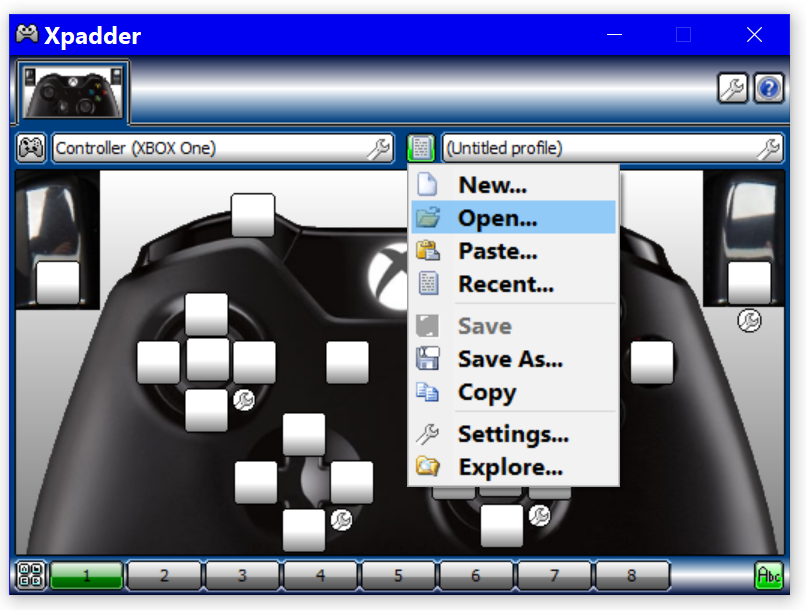
– There is an image of an XBOX One controller inside, but you can download an image of your controller here : http://xpadder.com/forum4/viewforum.php?f=144
– Right click on Xpadder > Properties > Compatibility > check "Run this program as an administrator" > OK.
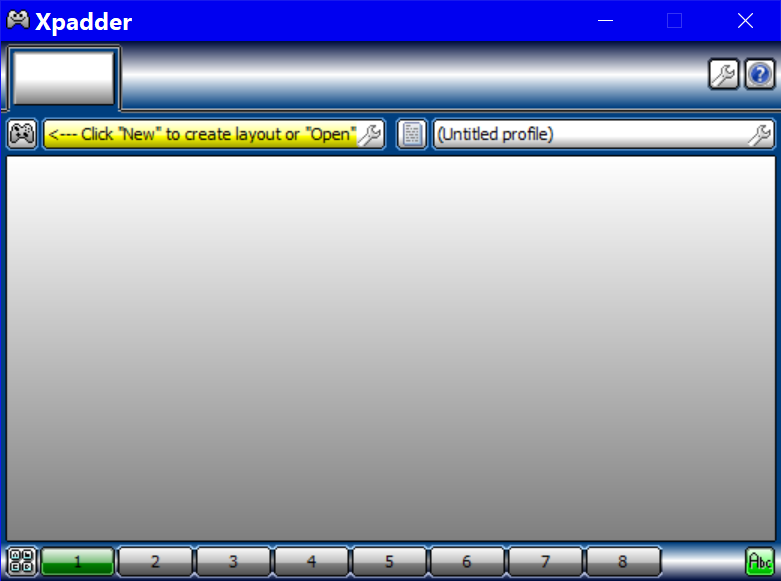
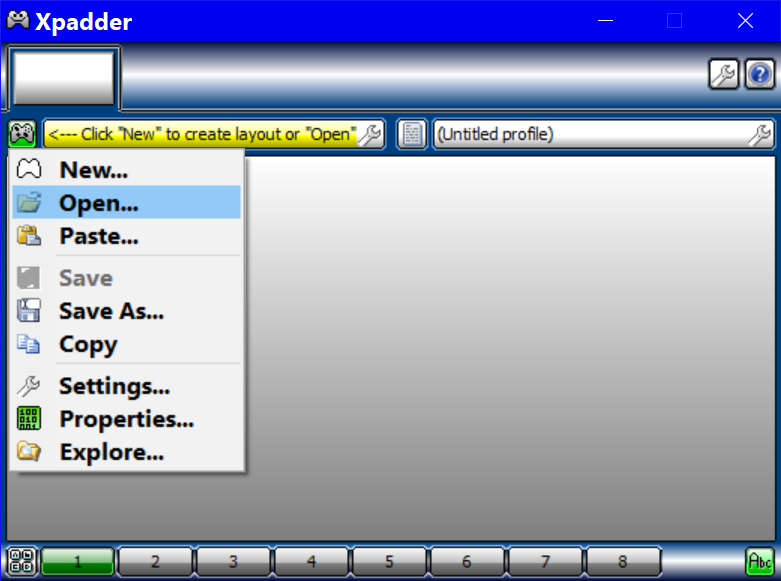
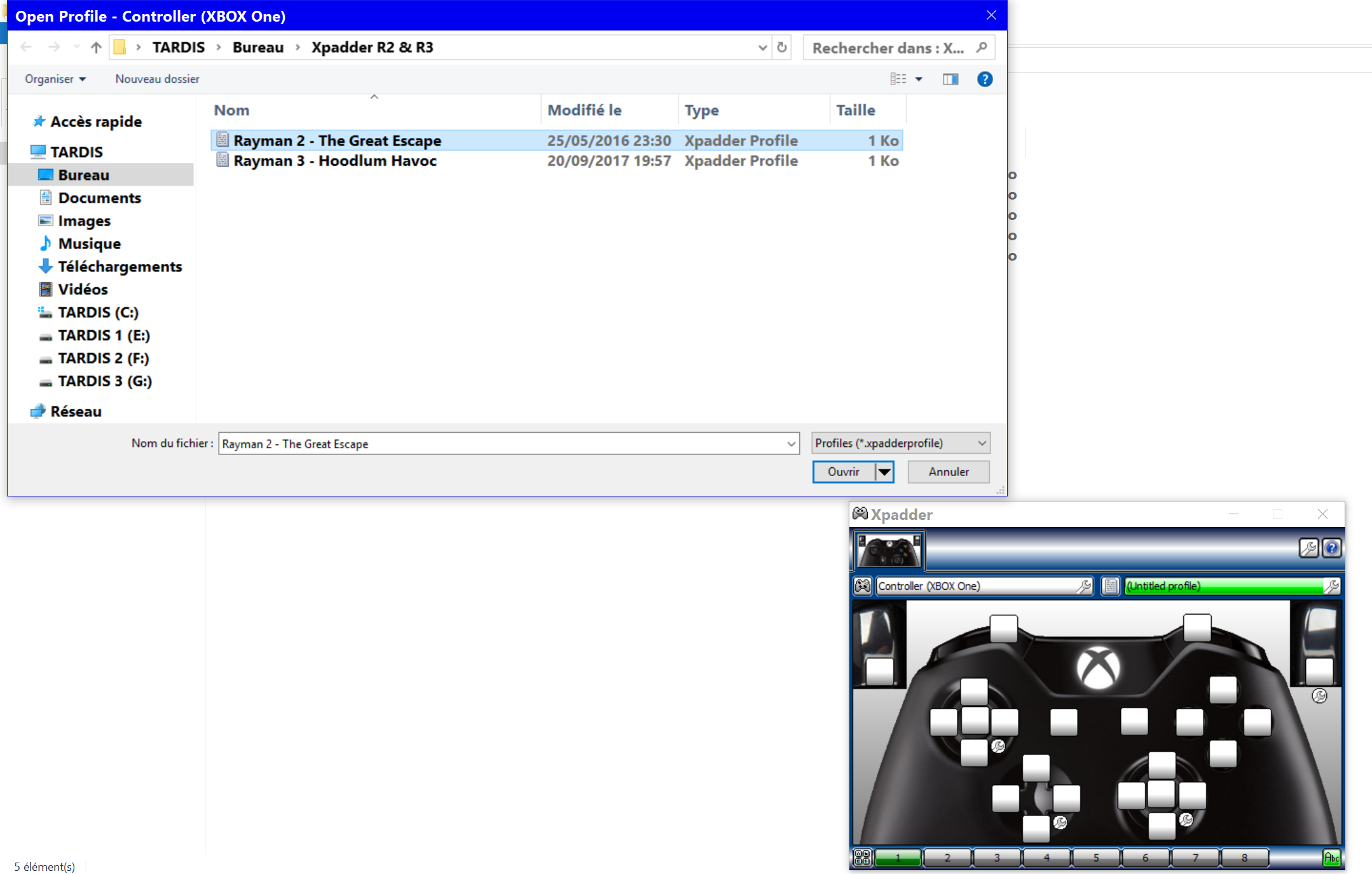
– Open Xpadder > Next > Next > Next > Next > Next > Program Location > Associate.
– Your controller must be turned on.
– Leave Xpadder open while in game for it to take work.
Rayman 2
– Download the Rayman2InputFix_v1 zip here : https://code.google.com/p/noser-sandbox/downloads/list
– Unzip it and place it in the Rayman 2 installation folder.
– The A and X buttons can't be remapped. The Y and B buttons control the camera and can't be remapped either, but I assigned them to the right analog stick nonetheless, it feels better. Just don't use the Y and B buttons.
– The rest will be in the Xpadder tutorial section below.
Rayman 3
Thanks to RibShark and his mod "Better Rayman 3", almost every issue was fixed.
Better Rayman 3 mod : viewtopic.php?t=12854
– The right analog stick still doesn’t work though.
I mapped the mouse movements to the analog stick with Xpadder to be able to move the camera. It isn't perfect, but the native camera on consoles as well as PC wasn't either. The camera motion will be a bit choppy when moving diagonally. I've found that on a 2560x1440 monitor, 3000 DPI matches the original camera speed pretty well.
– These are the Rayman 3 binding to enter in the in-game menu for the Xbox One / Xbox 360 controller :
Menu = Start
Jump = A
Roll = Left Trigger
Strafe = Right Trigger
Fire = X
Look Mode = Y
Grimace = B
Screenshot = Right D-Pad
Walk = Shift
Up = Up Keyboard Arrow
Down = Down Keyboard Arrow
Right = Right Keyboard Arrow
Left = Left Keyboard Arrow
– The rest will be in the Xpadder tutorial section below.
Xpadder Tutorial
– You will need the program Xpadder to bind some keyboard inputs to your controller.
– Xpadder + Rayman 2 and Rayman 3 profiles : https://mega.nz/#!sYBQURCa!iBGQ3QgdxQvH ... Y1oExgBivI
– Place the Xpadder folder somewhere on your computer.
– There is an image of an XBOX One controller inside, but you can download an image of your controller here : http://xpadder.com/forum4/viewforum.php?f=144
– Right click on Xpadder > Properties > Compatibility > check "Run this program as an administrator" > OK.
– Open Xpadder > Next > Next > Next > Next > Next > Program Location > Associate.
– Your controller must be turned on.
– Leave Xpadder open while in game for it to take work.

